
可能是因为没有安装modelscope库或者路径设置不正确,可以尝试使用pip install modelscope命令进行安装,并检查路径是否正确。
为什么执行python app.py报:Python 无法在指定路径找到 modelscope?
1、问题描述
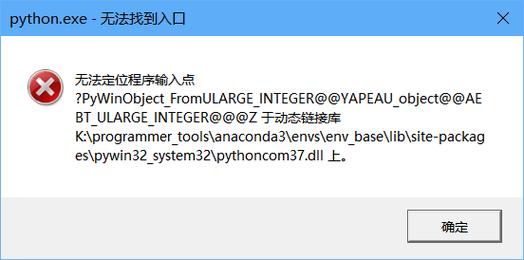
执行命令:python app.py
报错信息:Python 无法在指定路径找到 modelscope
2、可能原因及解决方法
原因 解决方法
未安装modelscope库 使用pip安装modelscope库,pip install modelscope
未将modelscope库添加到系统路径 将modelscope库所在的路径添加到系统路径中,可以使用以下代码:

```python
import sys
sys.path.append('/path/to/modelscope')
```
导入modelscope的模块名错误 检查导入语句是否正确,确保导入的模块名与实际文件名一致,如果modelscope的文件名为modelscope.py,则导入语句应为:
```python
from modelscope import *

```
3、相关问题与解答
问题1:如何安装modelscope库?
解答:可以使用pip命令来安装modelscope库,具体命令如下:
```shell
pip install modelscope
```
问题2:如何将modelscope库添加到系统路径中?
解答:可以通过修改Python脚本或交互式环境中的sys.path来实现,导入sys模块,然后使用sys.path.append()方法将modelscope库所在的路径添加到系统路径中,如果modelscope库位于/path/to/modelscope目录下,可以使用以下代码将其添加到系统路径中:
```python
import sys
sys.path.append('/path/to/modelscope')
```