
本文以apache为例,叙述如何配置虚拟主目录。
他有什么作用呢,配置了他,访问标好的域名时,可以访问特定的目录层级,比如直接访问/www下的某个文件夹.
步骤:
1.打开相关配置;
2.对vhost配置文件进行参数配置,复制即可
3.重启apache
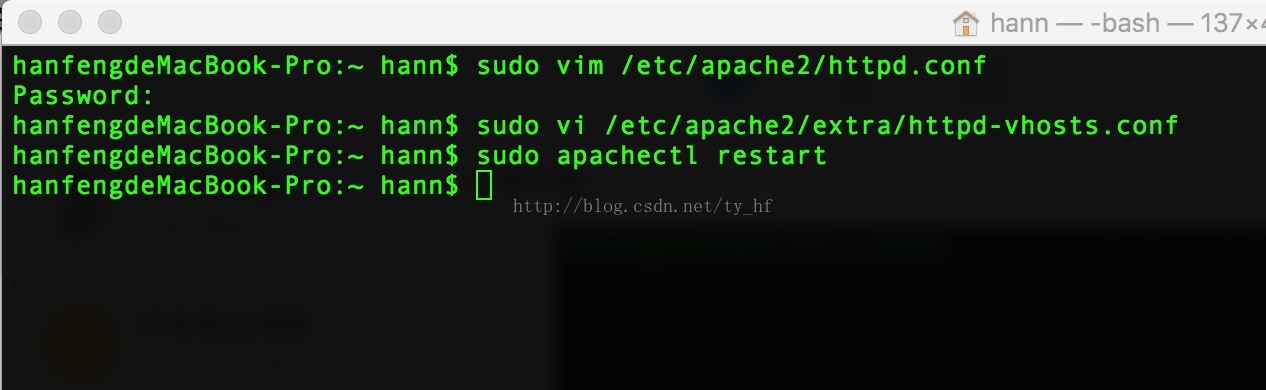
1. sudo vim /etc/apache2/httpd.conf
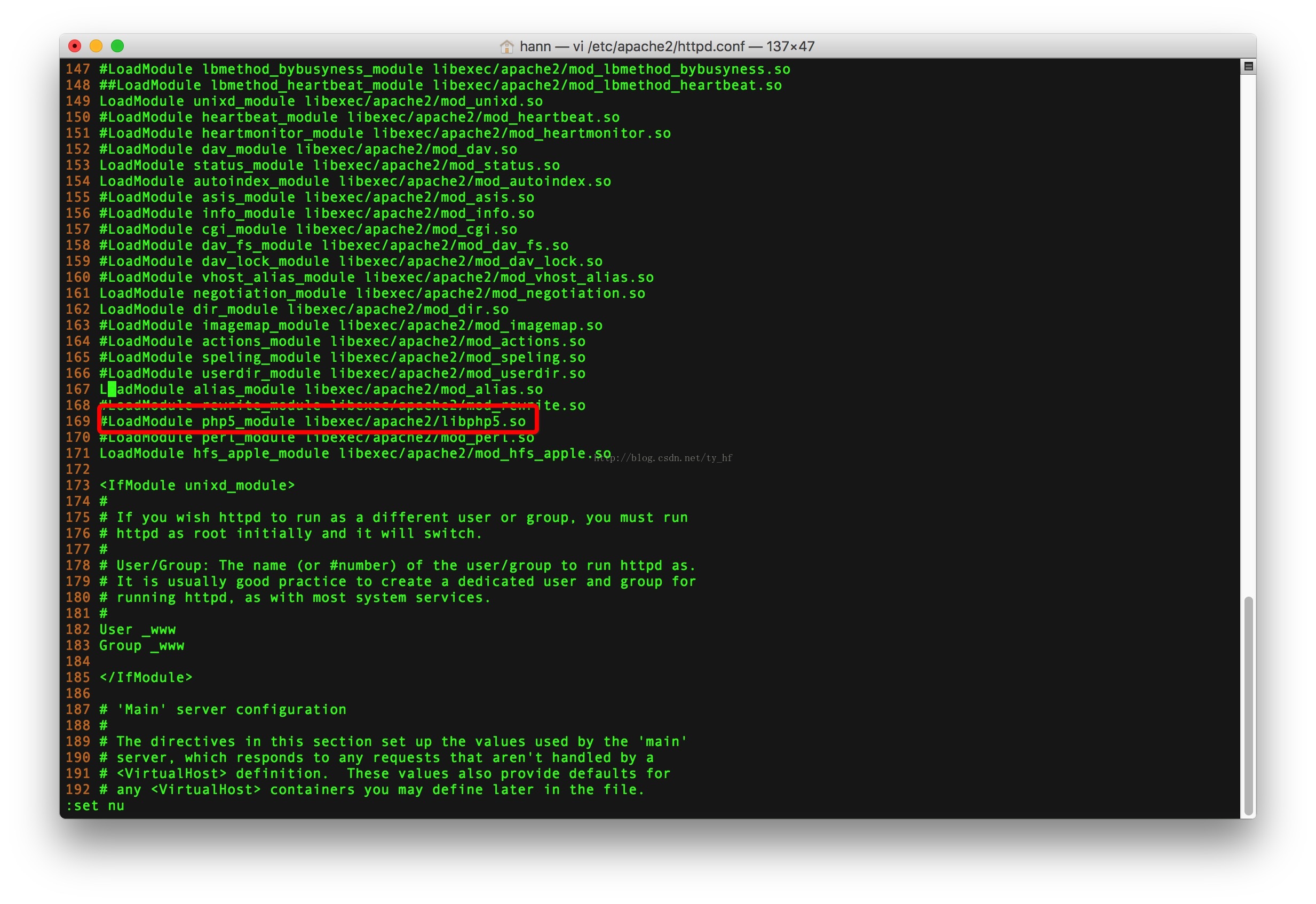
开启php模块,去掉前边的分号
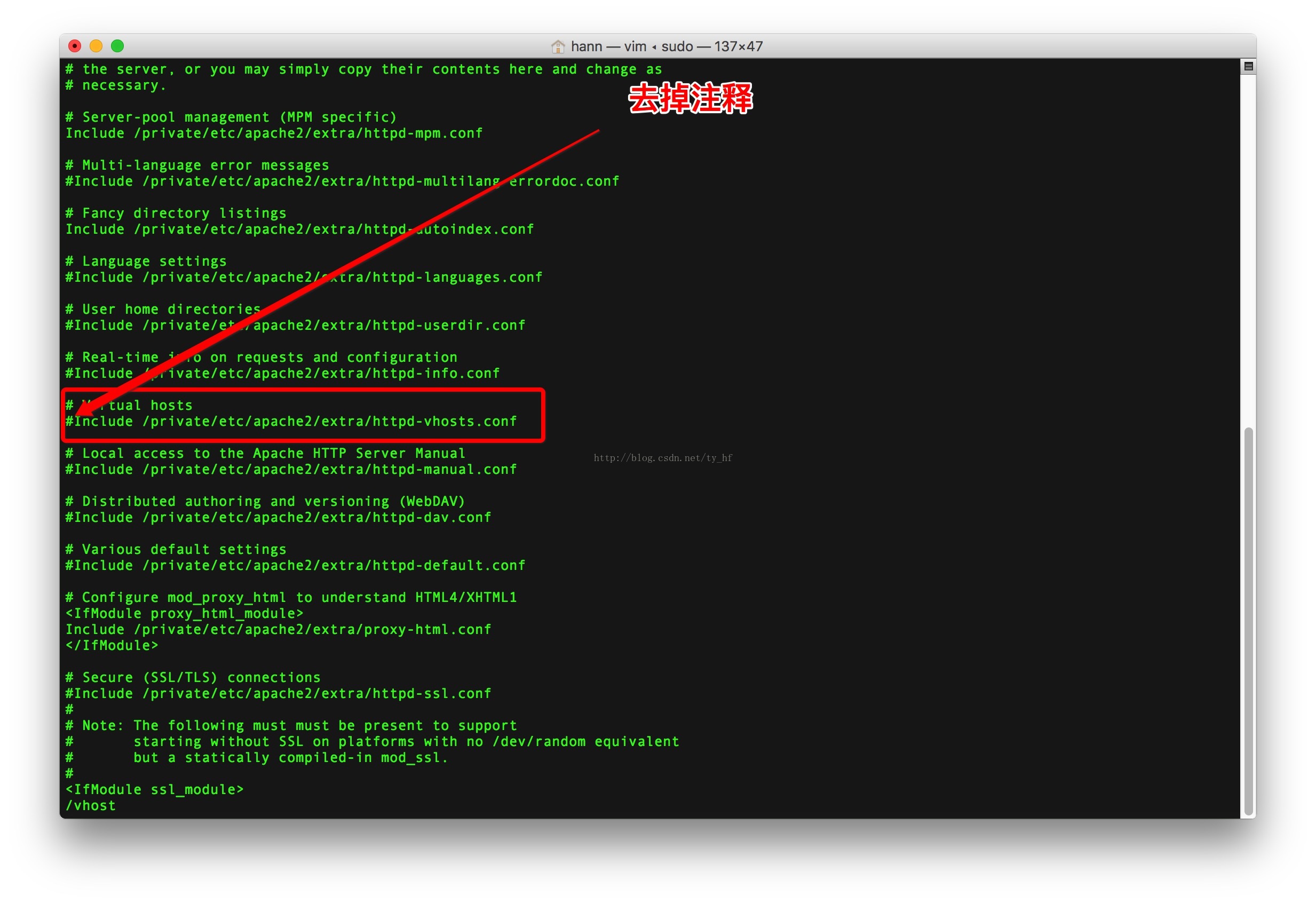
2。 打开引入vhost文件.
sudo vi /etc/apache2/extra/httpd-vhosts.conf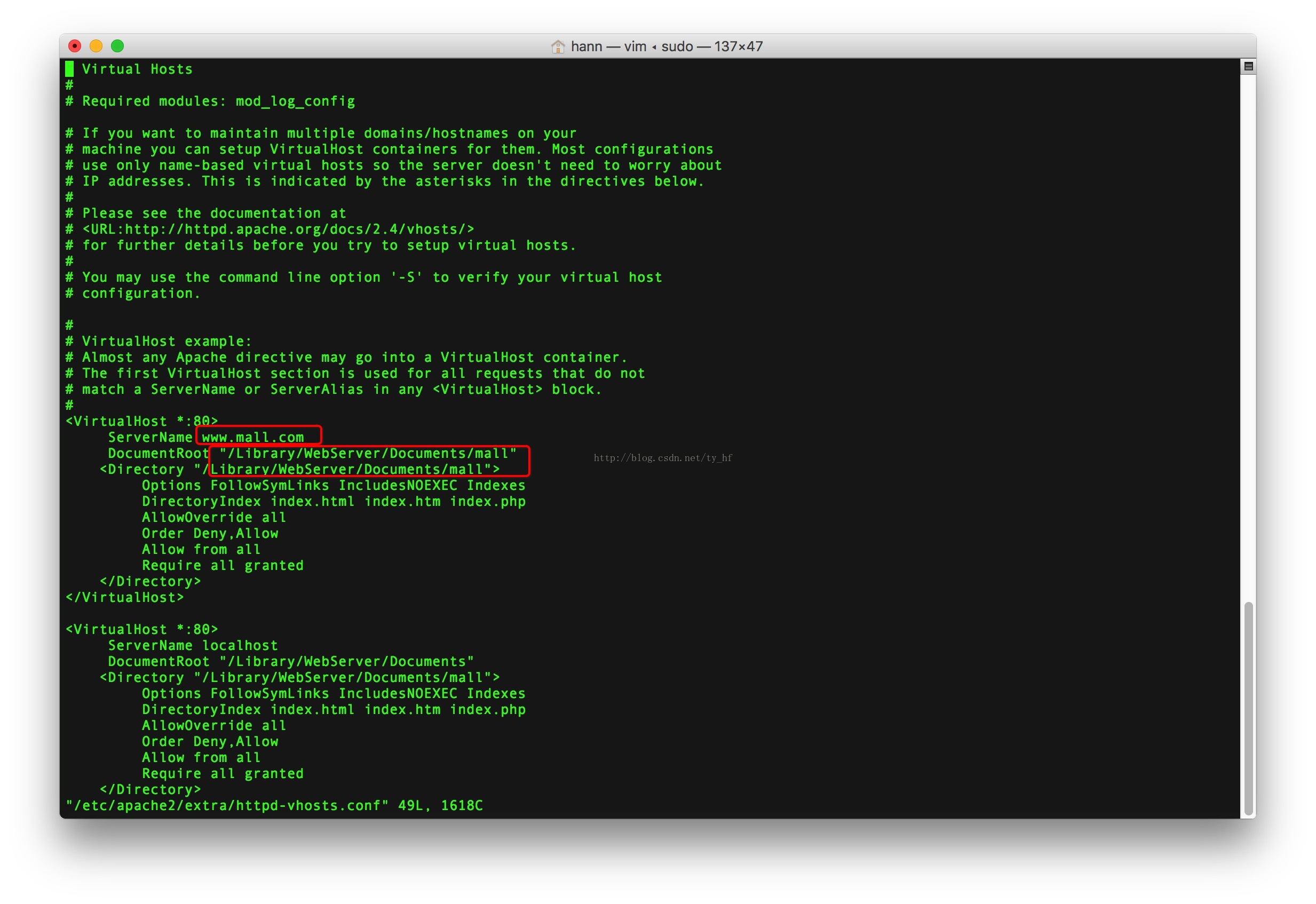
输入下面代码:
<VirtualHost *:80>ServerName www.mall.com  [此处需修改成你的]DocumentRoot "/Library/WebServer/Documents/mall"[此处需修改成你的]<Directory "/Library/WebServer/Documents/mall">[此处需修改成你的]Options FollowSymLinks IncludesNOEXEC IndexesDirectoryIndex index.html index.htm index.phpAllowOverride allOrder Deny,AllowAllow from allRequire all granted</Directory>
</VirtualHost><VirtualHost *:80>ServerName localhostDocumentRoot "/Library/WebServer/Documents"[此处需修改成你的]<Directory "/Library/WebServer/Documents/mall">[此处需修改成你的]Options FollowSymLinks IncludesNOEXEC IndexesDirectoryIndex index.html index.htm index.phpAllowOverride allOrder Deny,AllowAllow from allRequire all granted</Directory>
</VirtualHost>
3.重启apache
sudo apachectl restart