根据慕课网的课程做的笔记
Vue基本概念
模板语法
- 认识Vue文件结构(template,script,style)
- 模板语法包含插值、指令(指令缩写)
<!DOCTYPE html PUBLIC "-//W3C//DTD XHTML 1.0 Transitional//EN" "http://www.w3.org/TR/xhtml1/DTD/xhtml1-transitional.dtd">
<html xmlns="http://www.w3.org/1999/xhtml">
<head><title></title><style type="text/css">.bg{ color: Red;}</style><script type="text/javascript" src="../scripts/vue.js"></script>
</head>
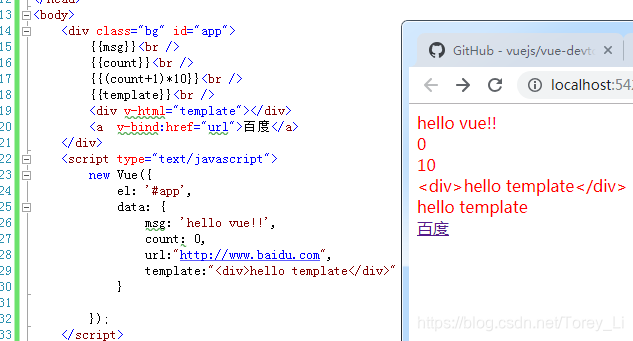
<body><div class="bg" id="app">{{msg}}<br />{{count}}<br />{{(count+1)*10}}<br />{{template}}<br /><div v-html="template"></div><a  v-bind:href="url">百度</a></div><script type="text/javascript">new Vue({el: '#app',data: {msg: 'hello vue!!',count: 0,url:"http://www.baidu.com",template:"<div>hello template</div>"}});</script>
</body>
</html>
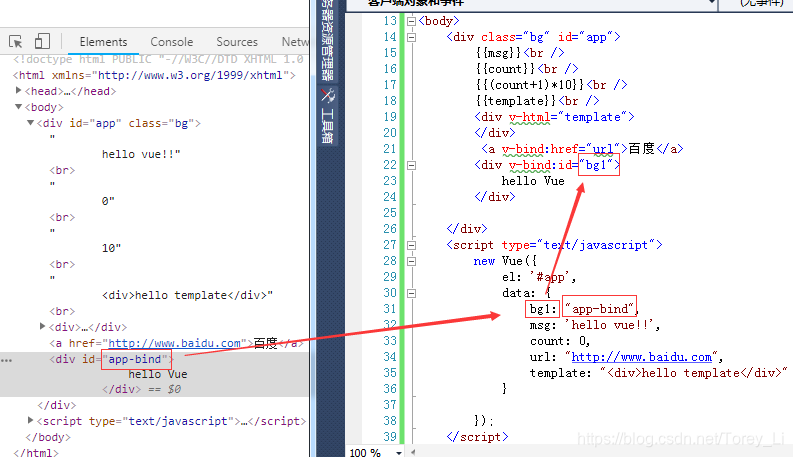
v-bind是绑定属性的,例如:可以动态绑定id或者class的值
v-on是绑定某些事件的,例如鼠标点击事件,双击事件,悬停事件等,使用示例:
<!DOCTYPE html PUBLIC "-//W3C//DTD XHTML 1.0 Transitional//EN" "http://www.w3.org/TR/xhtml1/DTD/xhtml1-transitional.dtd">
<html xmlns="http://www.w3.org/1999/xhtml">
<head><title></title><script type="text/jscript" src="../scripts/vue.js"></script>
</head>
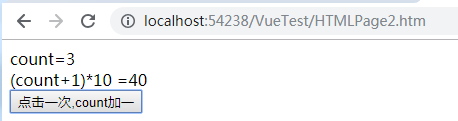
<body><div id="app"><div>count={{count}}<br />(count+1)*10 ={{(count+1)*10}}<br /><button type="button" v-on:click="submit()">点击一次,count加一</button></div></div><script>new Vue({el: "#app",data: {count: 0},methods: {submit: function () {this.count++;}}});</script>
</body>
</html>
每点击一下,就会触发submit方法
on指令可以缩写@,v-bind指令可以缩写为: